
Related Objects Filter Overview
The Related Objects filter functionality allows you to search by or create filter groups by associated records' stage, field value, automation status, activities, forms or surveys submissions, owner, team interaction, or lead source.
Adding a Related Object Filter
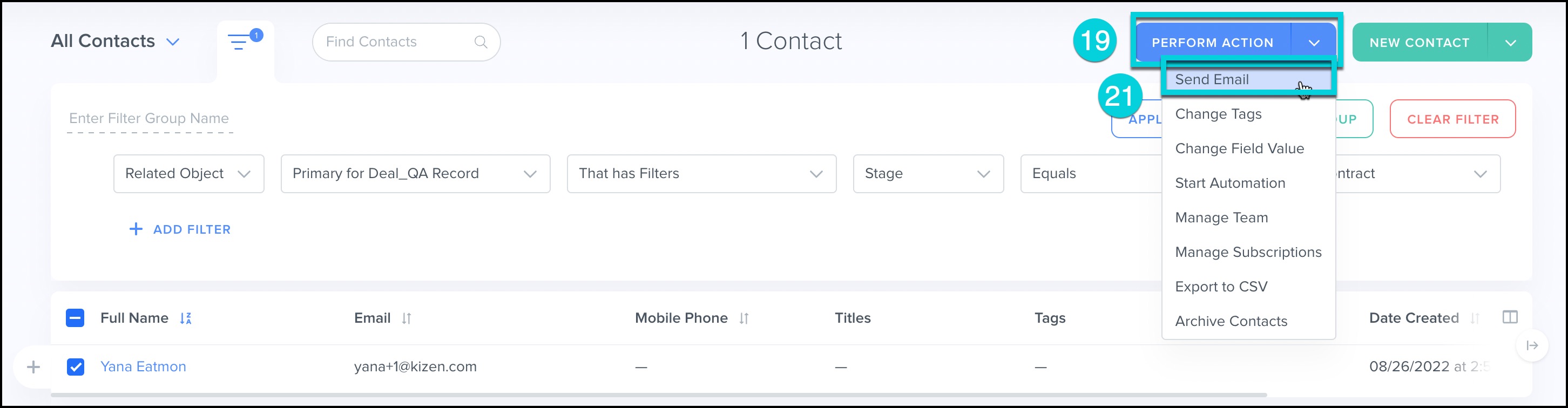
Example: Send an Email to Contacts that have an associated Sales Deal record in the 'Contract' Stage.
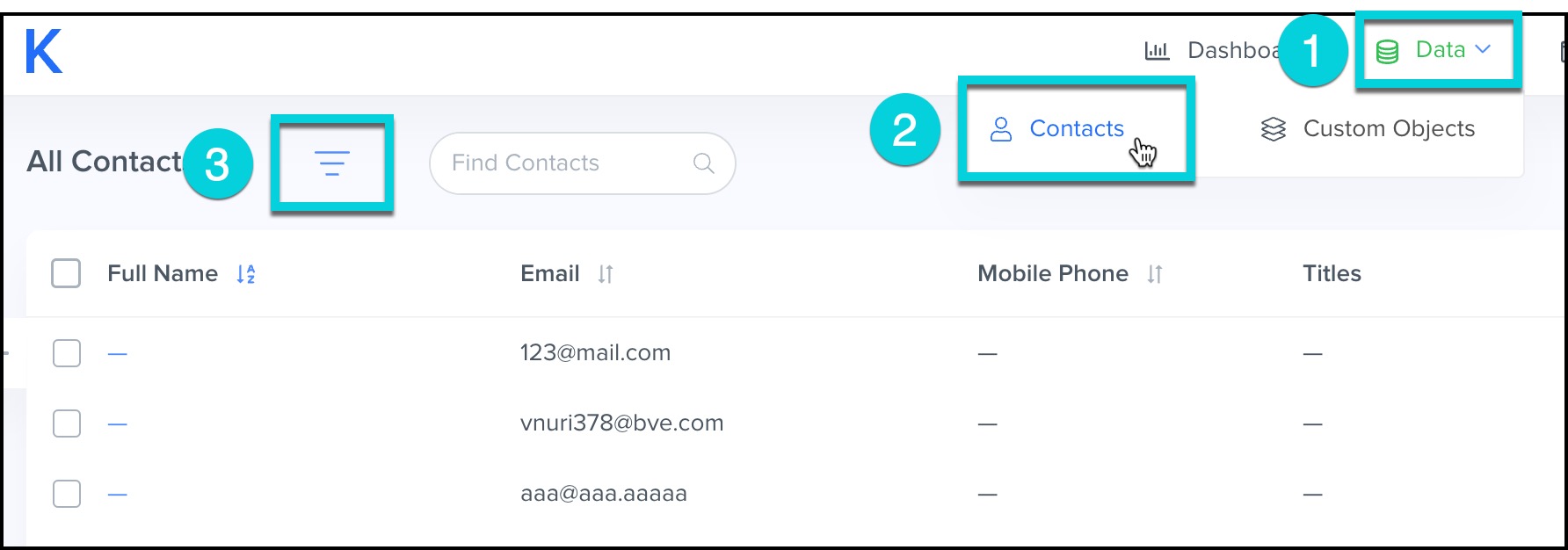
- Select Data from the top menu bar.
- Click Contacts.
- Click on Filter.
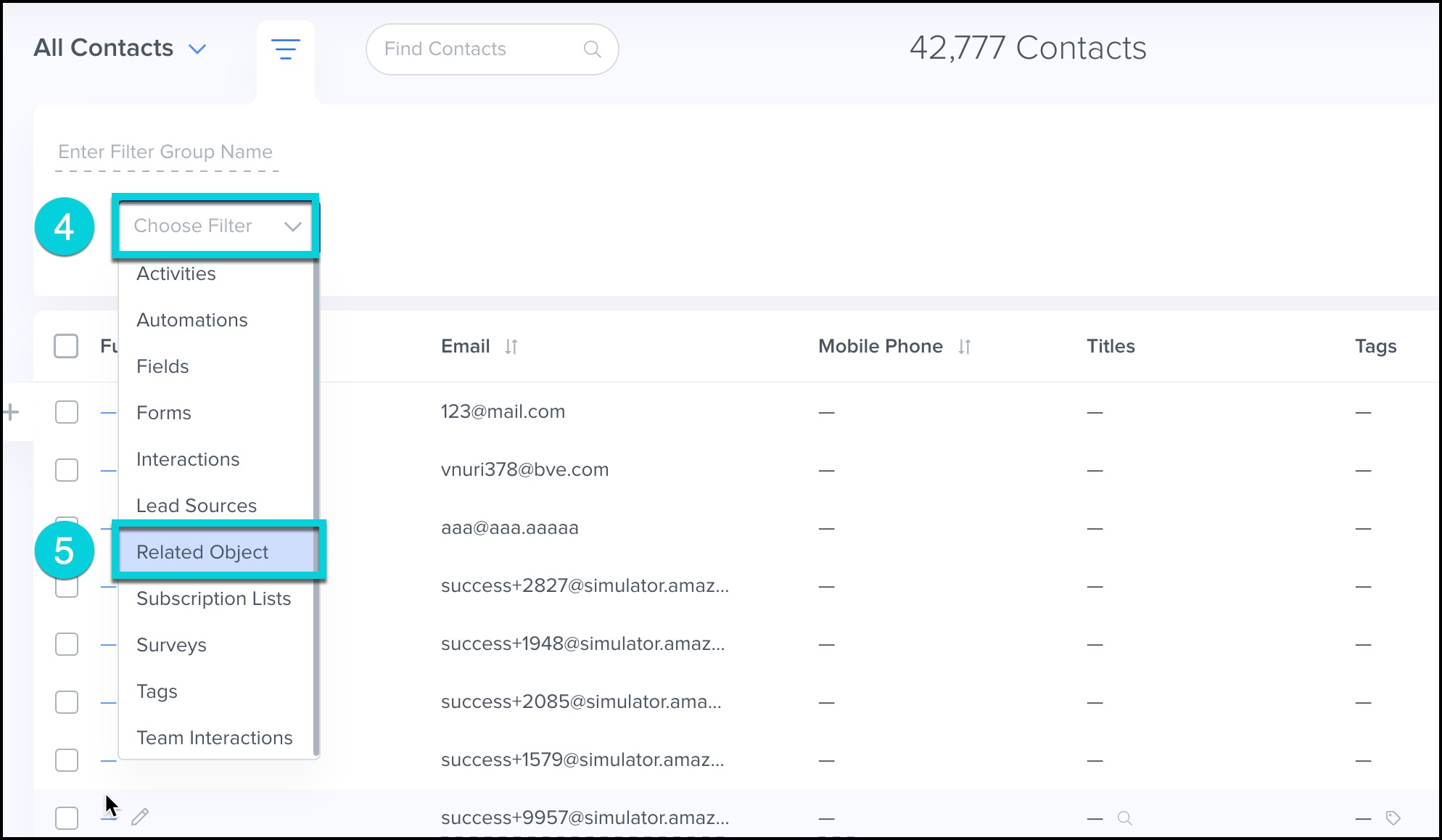
- Click Choose Filter.
- Click on Related Object.
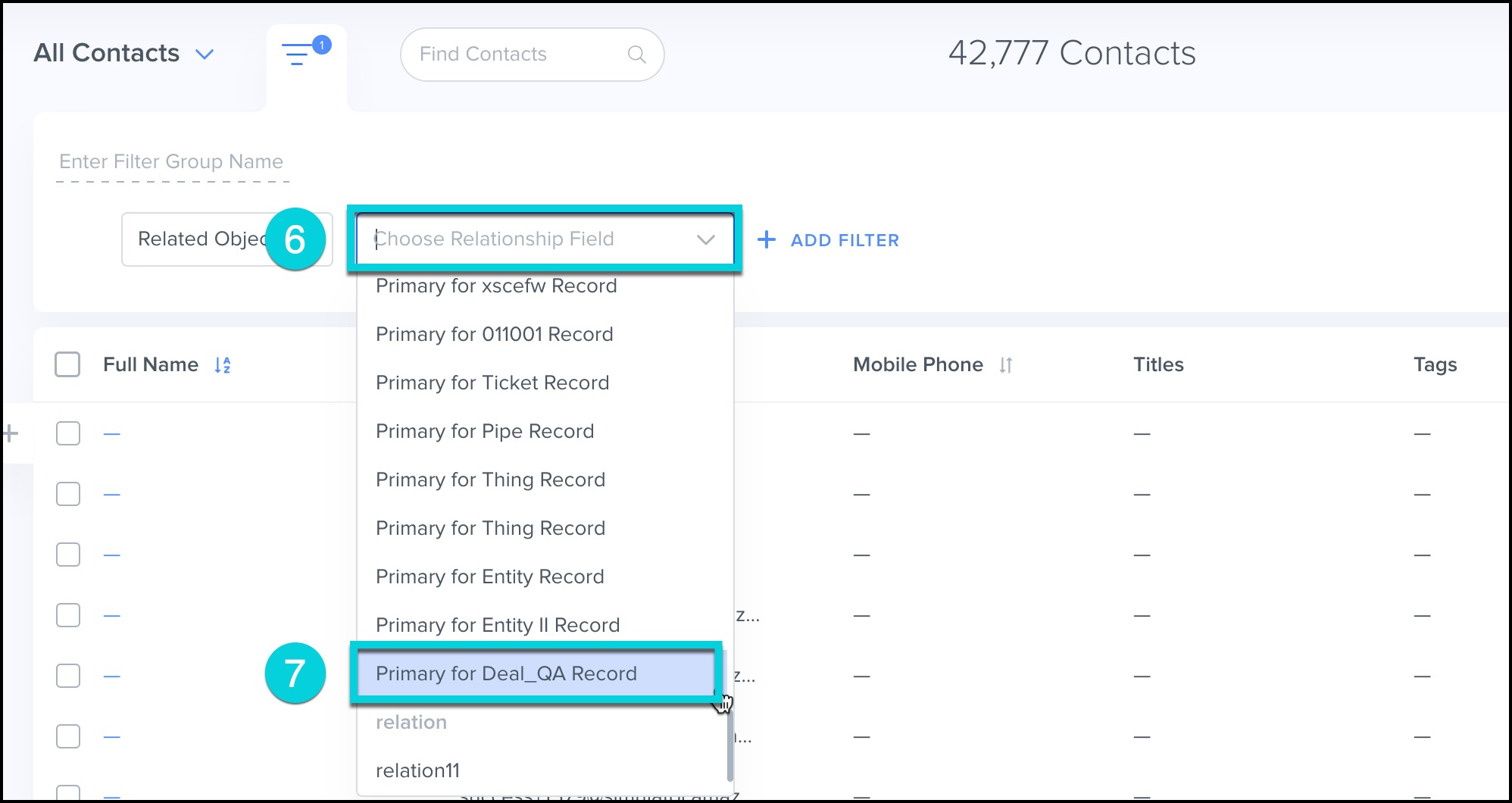
- Click Choose Relationship field.
- Click on Primary for Deal Record
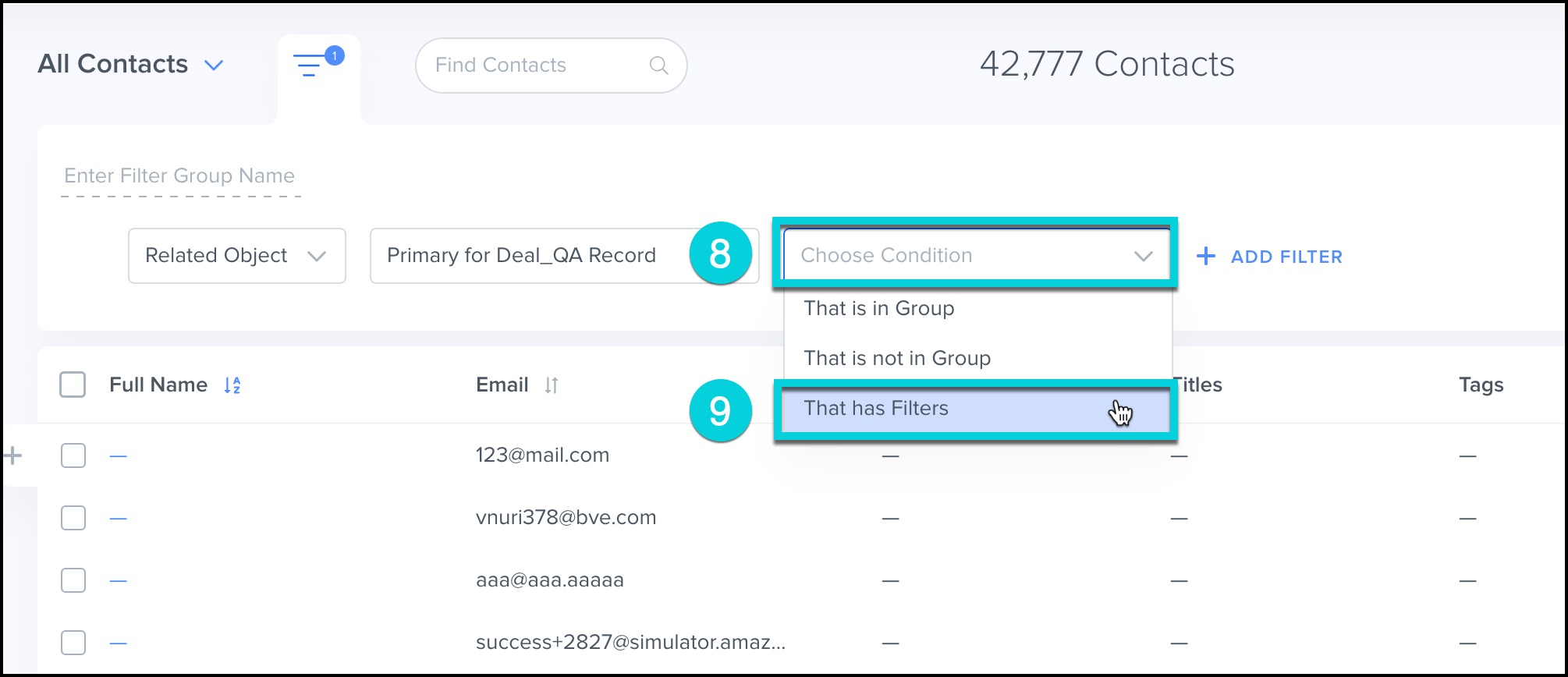
- Click Choose Condition.
- Click on That has Filters.
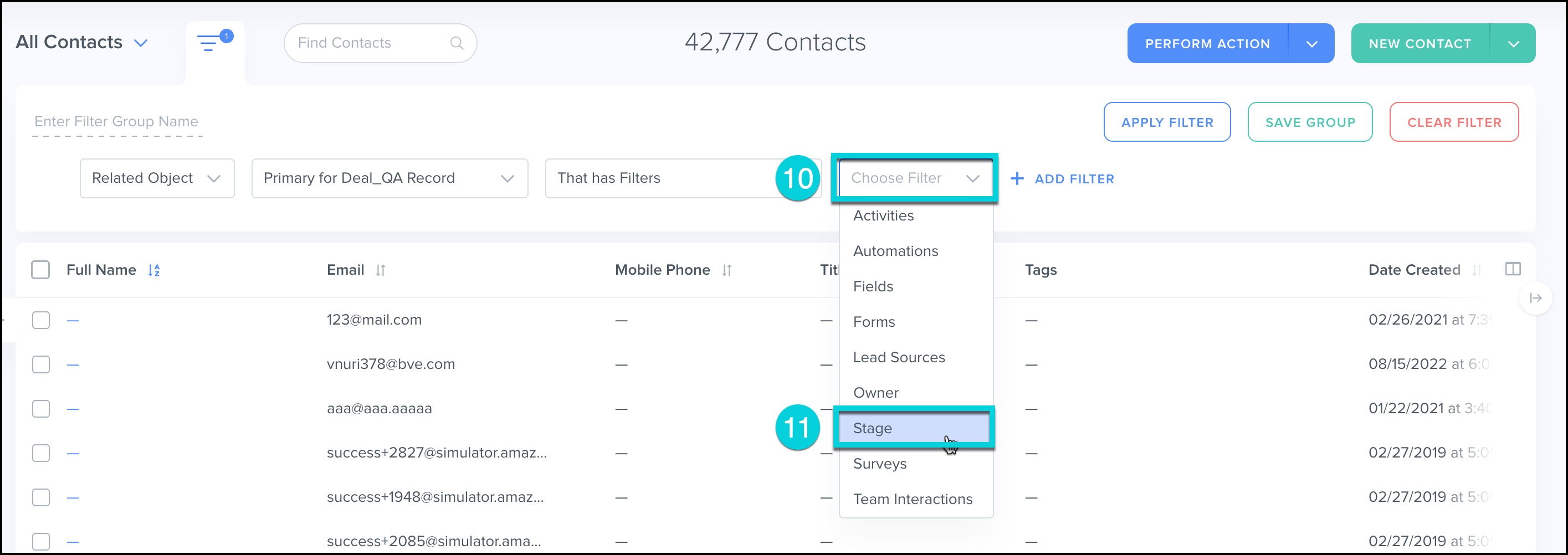
- Click Choose Filter.
- Click on Stage
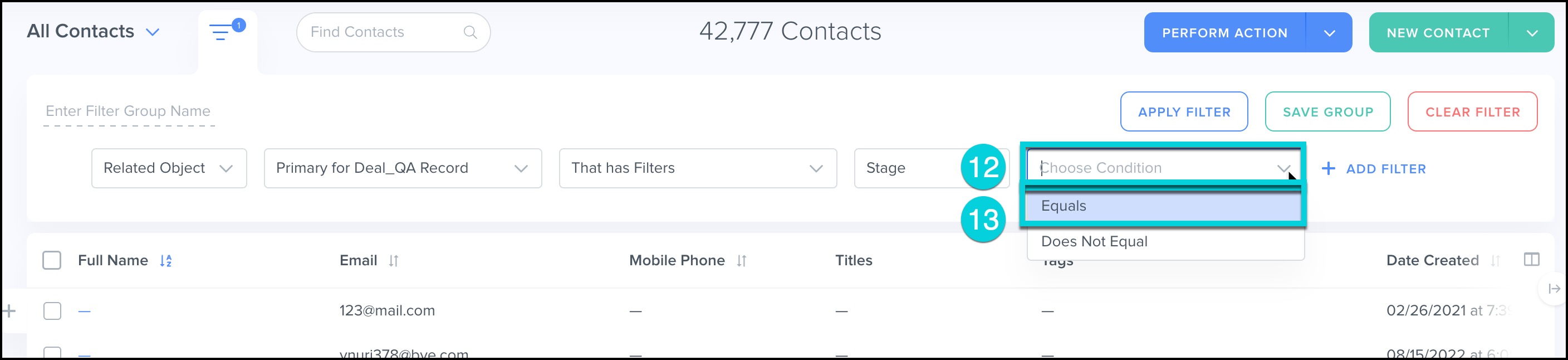
- Click Choose Condition.
- Click on Equals.
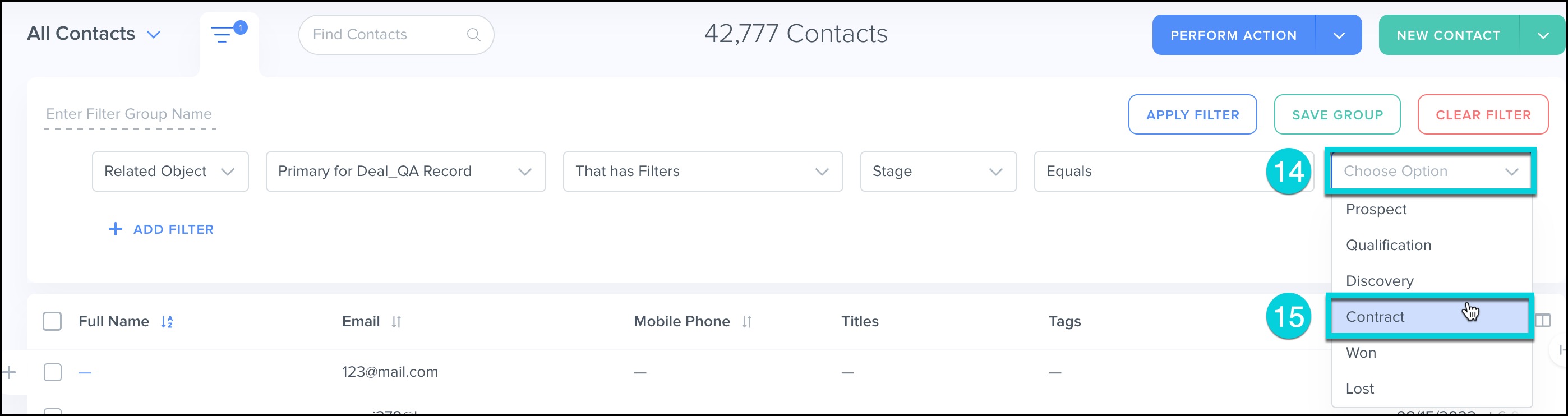
- Click Choose Option.
- Click on Contract
- Click Apply Filter.

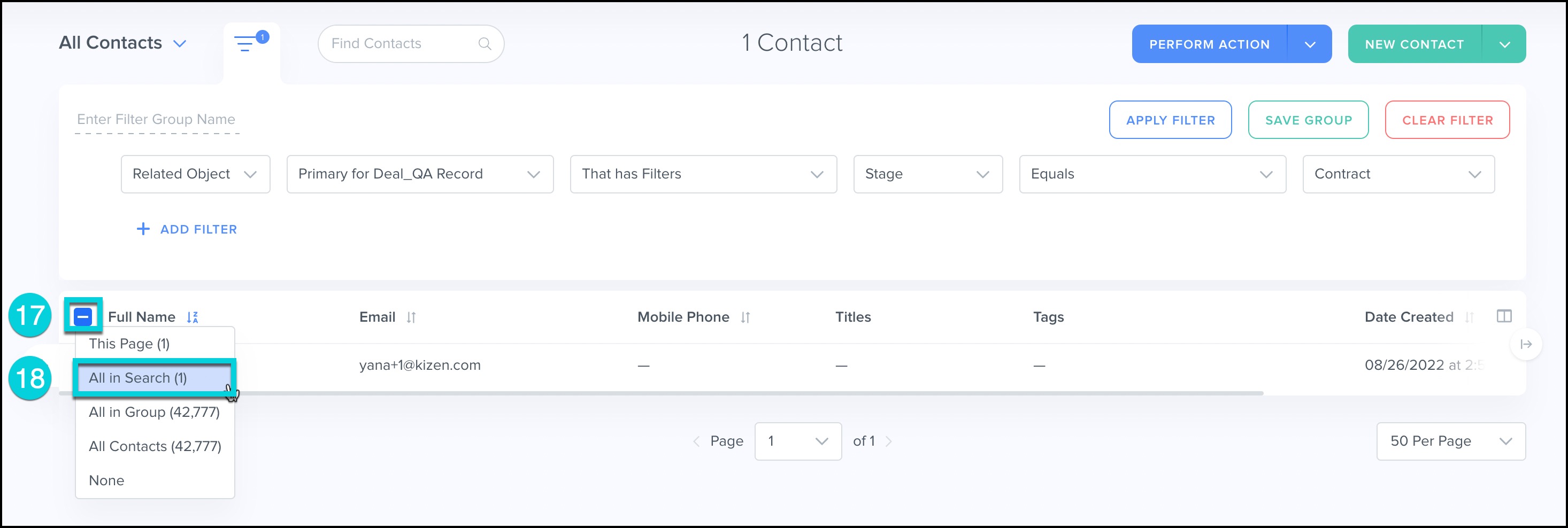
- Click on Select Option.
- Click on All in Search.
- Click on Perform Action.
- Click on Send Email.
Hint
If filtering by relationship to multiple Custom Objects, only use 'AND' filters