Companies are the businesses you interact with. Companies can be associated with Contacts as well as other Custom Objects.
Companies can be edited in three ways:
- Manually Edit a Company
- Quick Edit a Company
- Change a Field for Multiple Companies at Once
Manually Edit a Company
- Select Data from the top menu bar
- Click Custom Objects
- Click Companies

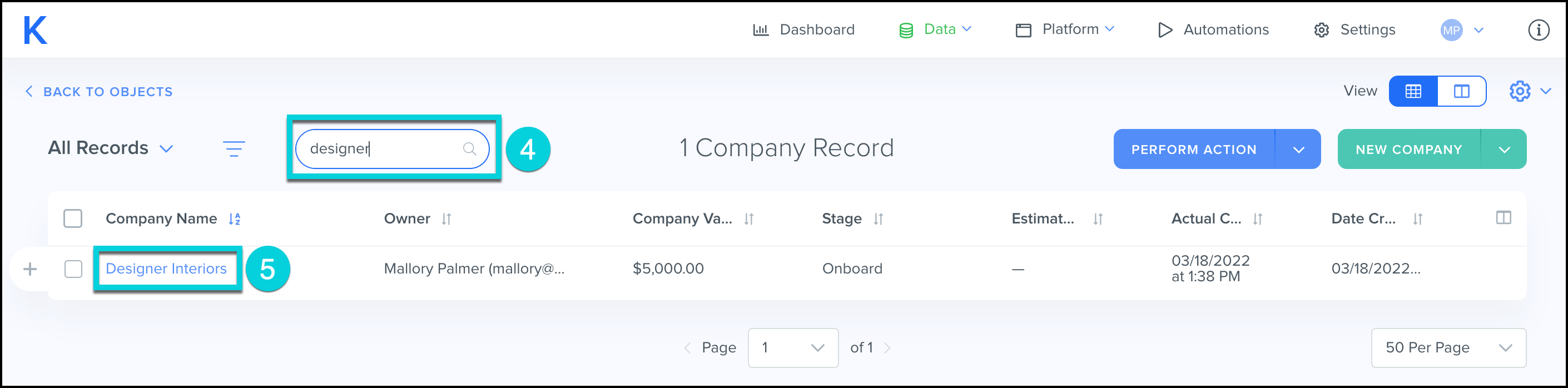
- Search for the company
- Click on the Company Name
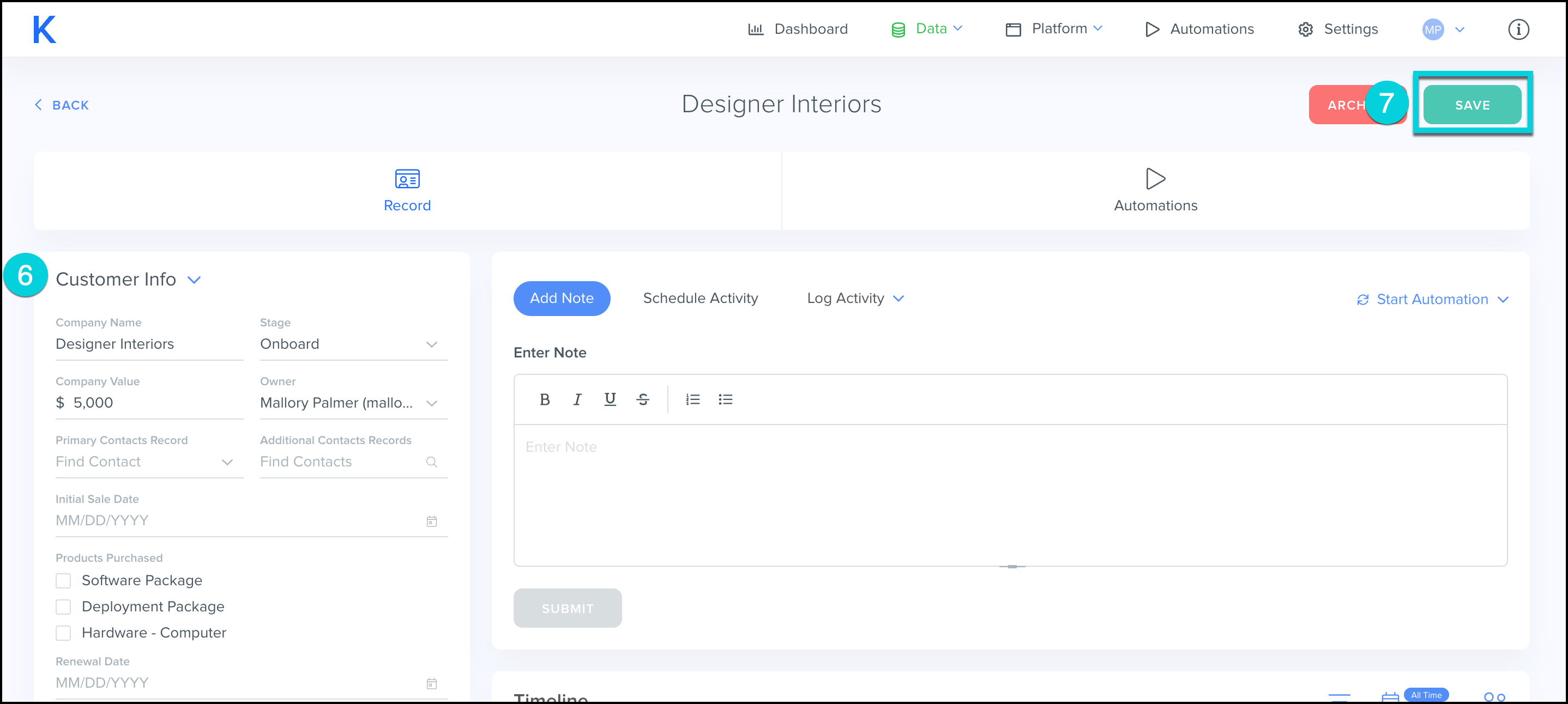
- Edit the necessary information in the Information Block
- Click Save
Quick Edit a Company
- Select Data from the top menu bar
- Click Custom Objects
- Click Companies
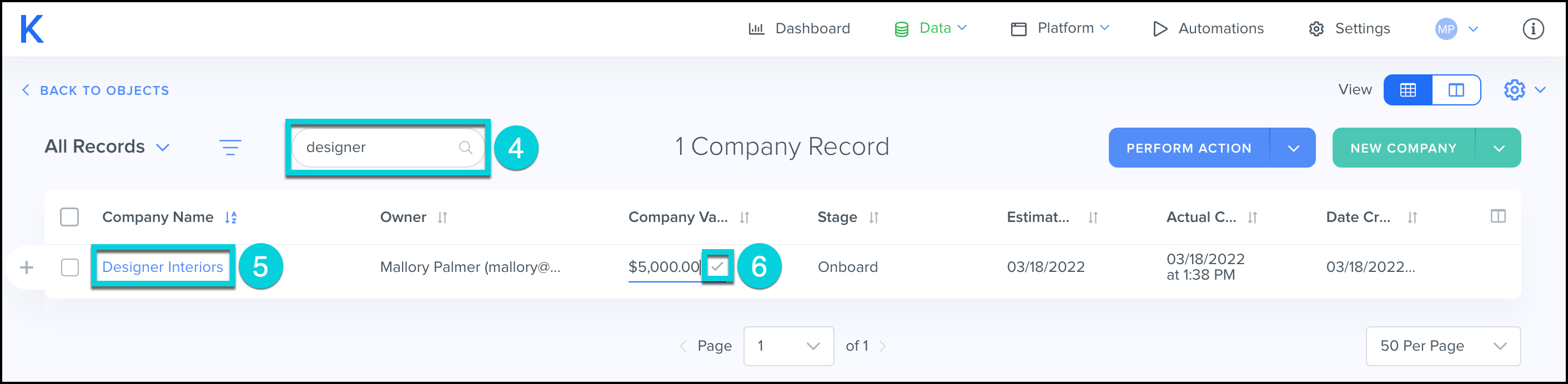
- Search for the company
- Update the necessary information on the All Companies page
- Click the ✓ to save each data point
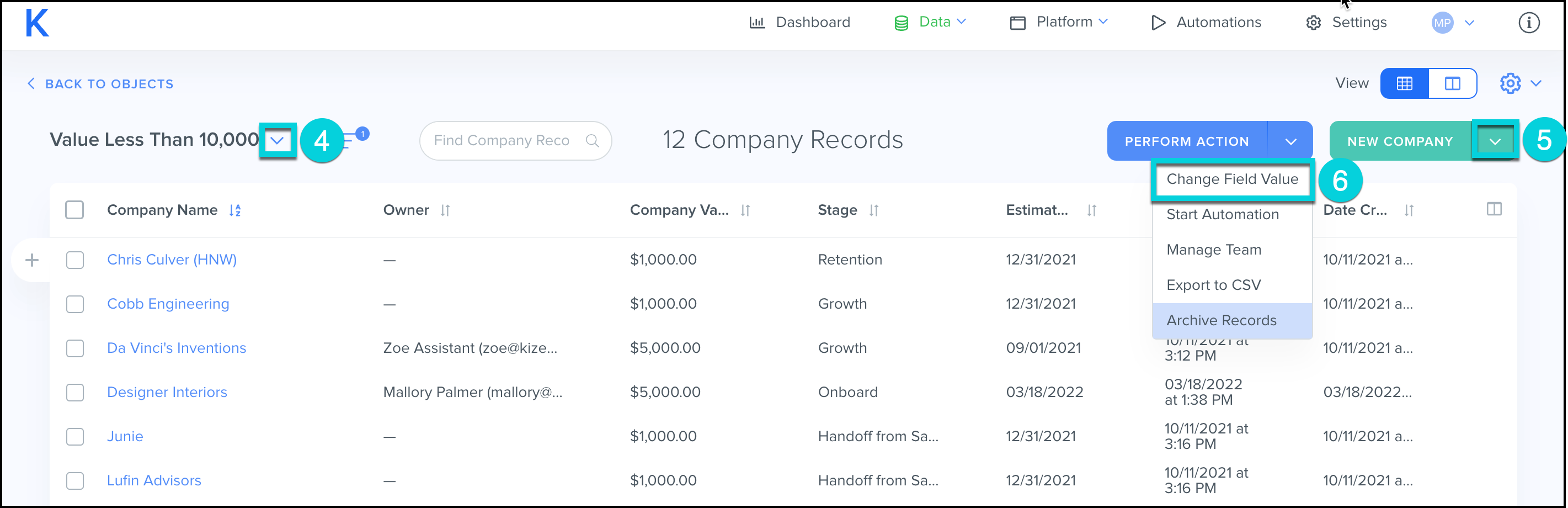
Change a Field for Multiple Contacts at Once
- Select Data from the top menu bar
- Click Custom Objects
- Click Companies
- Select the V icon next to All Companies and choose the Company Group you would like to Edit
- Select the V icon next to Perform Action
- Select Change Field Value