
Archiving an entity record will delete it from your Kizen account.
Manually Archive an Entity Record
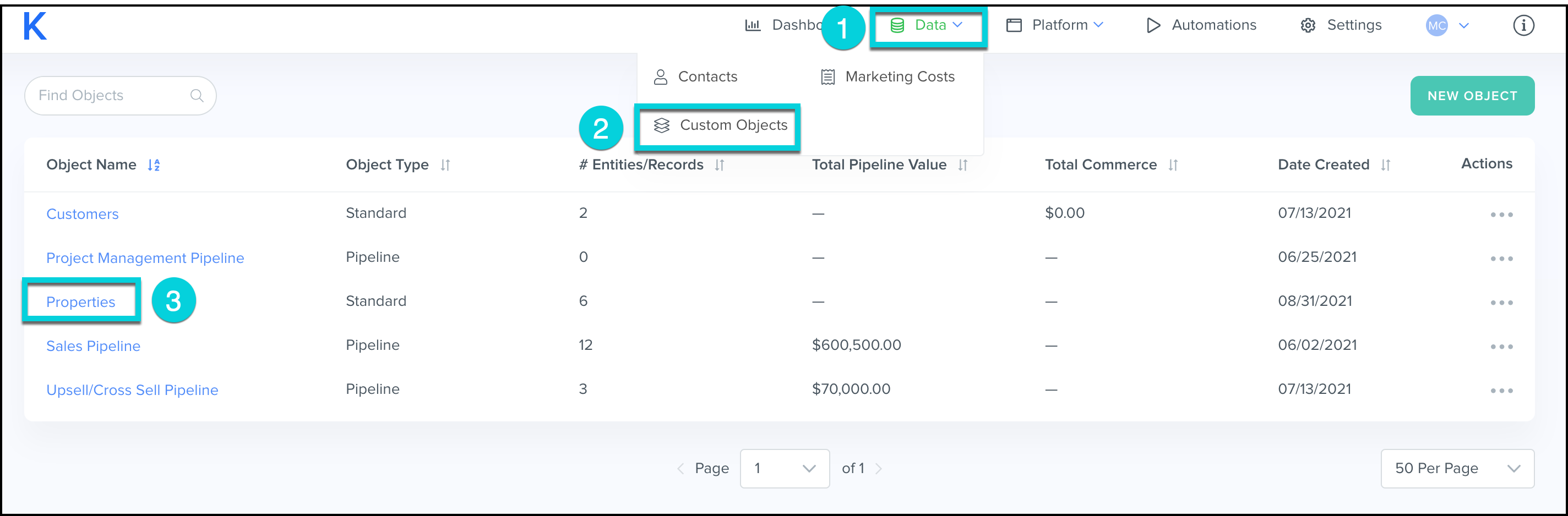
- Select Data from the top menu bar.
- Click Custom Objects.
- Click the Custom Object to archive entities for.
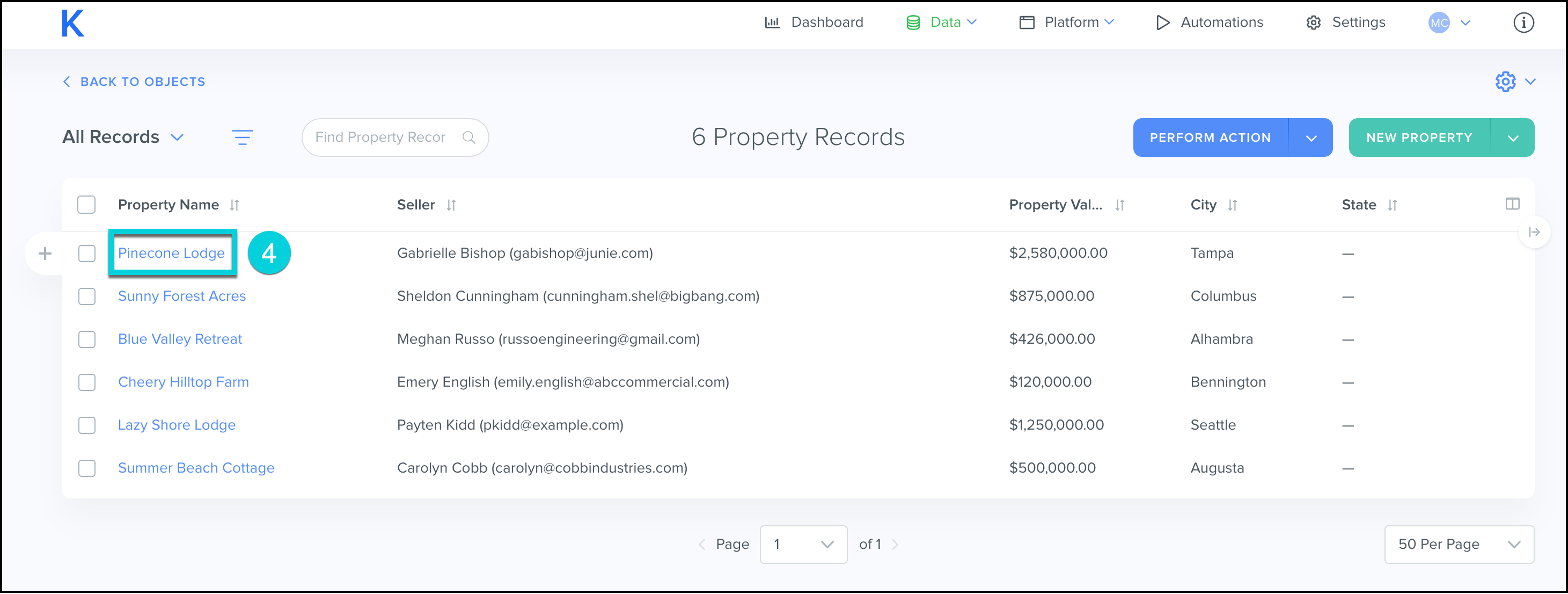
- Click on the Entity Name.
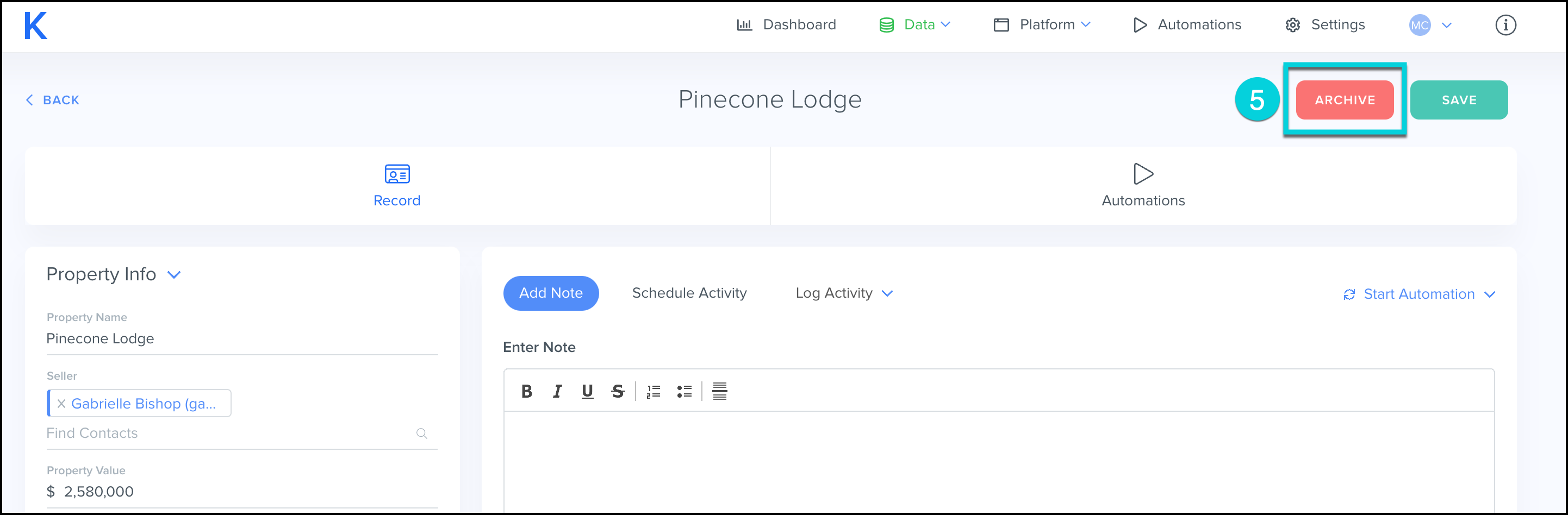
- Click Archive.
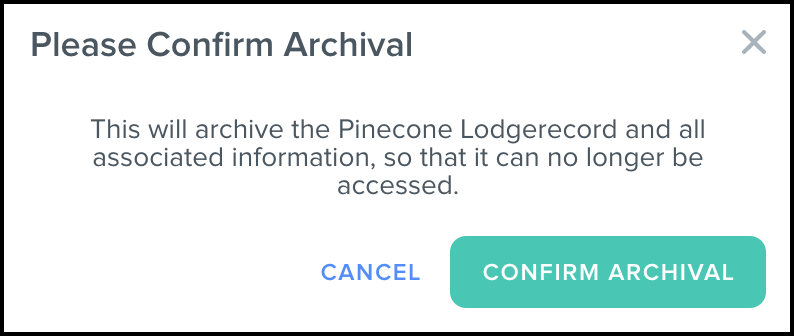
- Confirm Archival
-
This will archive the record and all associated information, so that it can no longer be accessed.
-
Hint
When an entity record is archived, all Active automations running on the record will Stop.
Archive a Group of Entity Records
- Select Data from the top menu bar.
- Click Custom Objects.
- Click the Custom Object to archive entities for.

- Select the entity records you would like to archive.
- Select the V next to Perform Action.
- Select Archive Records.
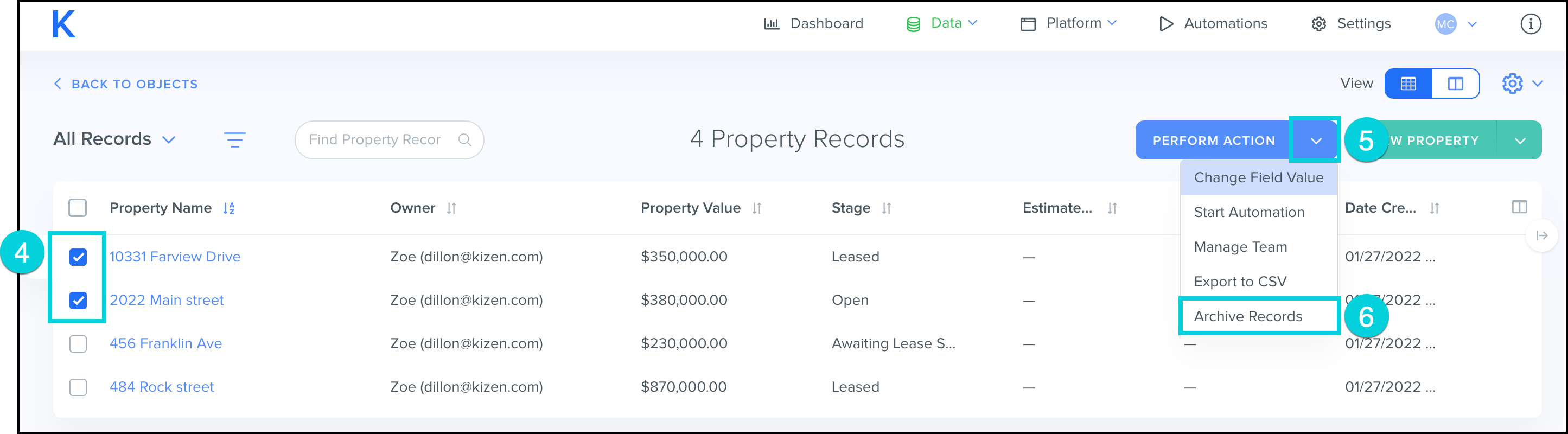
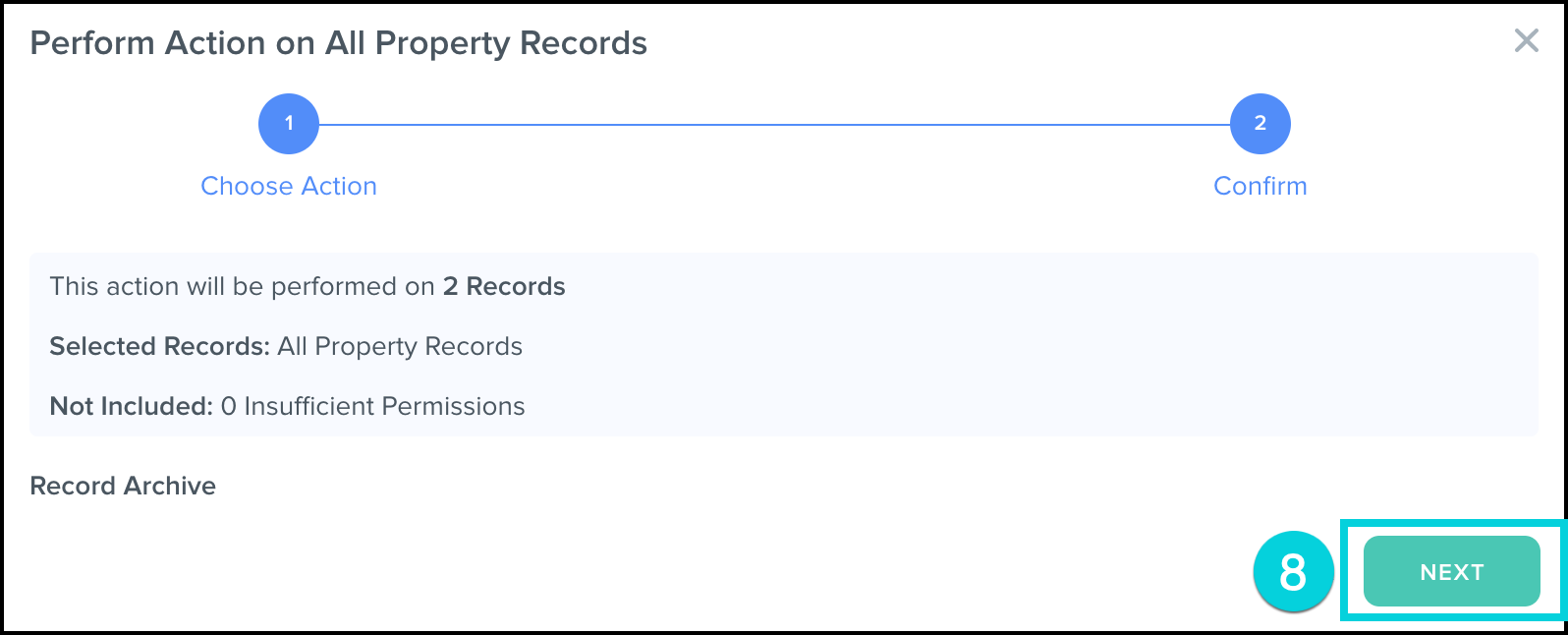
- Review the information in the pop-up to confirm it is correct.
- Click Next.
Hint
Use an Entity Record Group and find records to archive based on specific information.